What Is Quizlet Live? A Guide to Interactive Classroom Learning
Students often struggle to stay focused during routine vocabulary drills or test reviews. You want a method that turns passive memorization into active, energetic participation without increasing your administrative workload. Quizlet Live solves this by transforming standard study sets into fast-paced, collaborative team games that keep every learner accountable and excited.
Table of Contents
Understanding the Basics of Quizlet Live
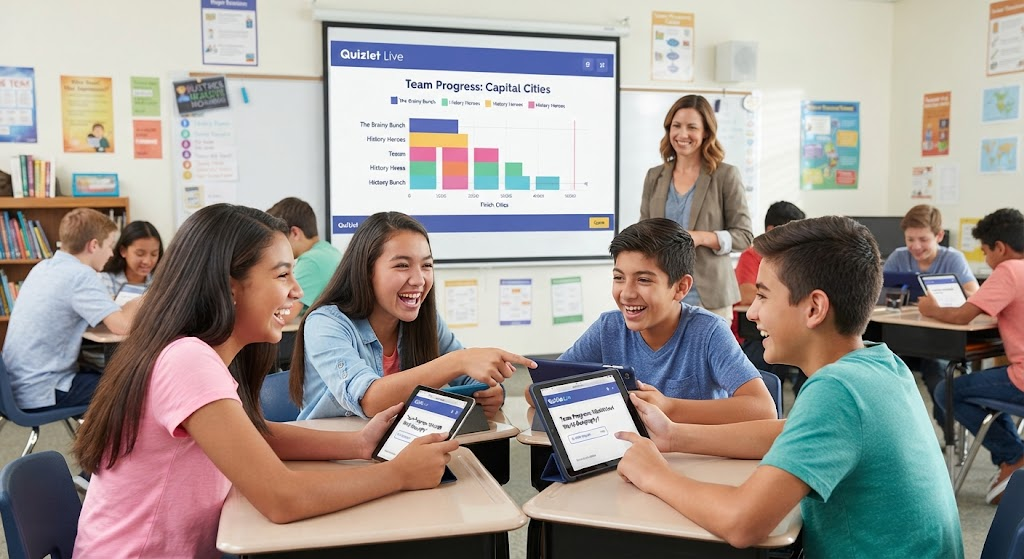
Quizlet Live is a collaborative classroom game feature within the popular study platform, Quizlet. It allows teachers to take any digital flashcard set—whether self-created or sourced from the platform’s vast library—and instantly convert it into a real-time, competitive quiz-show experience.
The platform emphasizes accuracy over speed. If a team selects an incorrect answer, their progress resets to zero, encouraging students to communicate and verify information before clicking.
How Does Quizlet Live Work for Students?
The game relies on a simple join process that works across laptops, tablets, and smartphones. Once you launch a game, the system provides a unique six-digit code.
- Access: Students visit quizlet.live or use the mobile app to enter the code.
- Grouping: The software automatically sorts students into random teams (or individuals).
- Gameplay: Each team member sees the same question on their device, but only one person has the correct answer on their screen.
- Collaboration: Students must talk to one another to identify who holds the correct match.
Comparing Quizlet Live Game Modes
You can customize the experience based on your classroom dynamics and lesson goals.
| Game Mode | Ideal For | Key Benefit |
| Teams Mode | Collaborative learning | Builds communication and peer teaching skills. |
| Individuals Mode | Assessment/Testing | Ensures every student masters the material independently. |
Setting Up Your First Quizlet Live Game
Getting started takes only a few minutes, even if you are new to educational technology.
1.Select or Create a Study Set:2-5 minutes.
Log into your teacher account and choose a flashcard set. You can use your own material or search for millions of pre-made sets.
2.Launch the Game:1 minute.
Click the Live icon on the left-hand sidebar of your study set page.
3.Choose Your Mode:30 seconds.
Select Teams or Individuals based on your lesson plan.
4.Invite Students:1-2 minutes.
Share the six-digit join code or the provided QR code with your class.
Key Benefits of Using Quizlet Live
Educators integrate this tool because it offers measurable advantages for student outcomes.
- Spaced Repetition: It utilizes scientifically proven techniques to improve long-term retention.
- Immediate Feedback: Students learn instantly if their answer is correct, allowing for “in-the-moment” correction.
- Increased Engagement: Gamification reduces anxiety around testing and encourages reluctant participants to join the conversation.
Is Quizlet Live Free for Teachers?
Yes, Quizlet Live is available for free with a standard teacher account. While Quizlet offers a paid “Plus” subscription that unlocks advanced features like custom images, ad-free study, and detailed progress tracking, the core game functionality remains accessible to all educators.
Quizlet Live vs. Quizlet Q-Chat
It is important not to confuse Quizlet Live with newer AI-powered features like Q-Chat.
- Quizlet Live: A synchronous, competitive group game designed for real-time classroom interaction.
- Q-Chat: An AI-powered personal tutor that uses a chatbot interface to guide students through specific study sets via Socratic questioning.
Best Practices for a Successful Game Session
To maximize learning, manage the environment effectively:
- Strategic Grouping: If playing in teams, consider manually shuffling students to pair stronger learners with those who need extra support.
- Volume Control: The game creates excitement! Set clear expectations for “indoor voices” before hitting start.
- Debrief: After the game, spend five minutes reviewing the most missed terms to clear up common misconceptions.
Integrating Technology for Diverse Learners
Quizlet Live is highly inclusive. Students who require visual aids can use sets with images, while those who prefer auditory learning can engage with audio-enabled flashcards. Because the game is digital, it supports remote, hybrid, and in-person learning environments equally well.
Troubleshooting Common Issues
If students have trouble connecting, follow these quick fixes:
- Check Wi-Fi: Ensure all devices are on the school network.
- Refresh: If a player freezes, ask them to refresh their browser and re-enter the code.
- Browser Compatibility: Recommend Chrome or Safari for the most stable performance.
Frequently Asked Questions
Can students play Quizlet Live at home?
Yes, you can launch a game for remote students by sharing your screen on a video call so they can see the leaderboard while they play on their own devices.
How many students can join a game?
There is no strict limit, but for the best experience, most teachers find that groups of 20–30 students per game session are easiest to manage.
Can I track student grades with Quizlet Live?
The free version shows game winners. To access detailed individual progress reports and performance data, a Quizlet Plus for teachers subscription is required.
Is Quizlet Live suitable for all subjects?
Absolutely. It works for any subject that uses vocabulary, definitions, formulas, or facts, including History, Science, Math, and World Languages.
What happens if a team gets an answer wrong?
Their score resets to zero, and they must continue answering questions until they reach the target count. This keeps the game competitive until the very end.
Can I create my own questions?
Yes, simply create a new “Study Set,” add your own terms and definitions (with optional images), and click the “Live” button to start.
Conclusion
Ready to energize your classroom? Log in to your Quizlet account today, select a study set, and launch a game. Your students will appreciate the break from traditional lectures, and you will love the instant boost in participation. Start your first Quizlet Live session now and watch your students master complex material while having fun!
You Main Also Read More : Quizlet Live